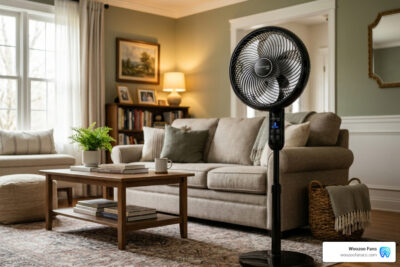
Woozoo Fan Remote Guide: Buttons, Pairing, Battery, and Replacement
The Woozoo fan remote controls speed, oscillation, timer, and wind mode from up to 60 feet away. This guide covers every button on the remote, pairing steps, battery replacement, troubleshooting, and where to buy a replacement remote.
| Remote Spec | Detail |
|---|---|
| Battery type | CR2025 or CR2032 3V lithium coin |
| Range | 15 to 60 feet with clear line of sight |
| Signal type | Infrared |
| Compatible models | PCF-SC15T-CT, PCF-SC15T, HE15R, all Woozoo globe fans |
| Replacement cost | $10 to $20 |
Woozoo Remote Buttons Explained
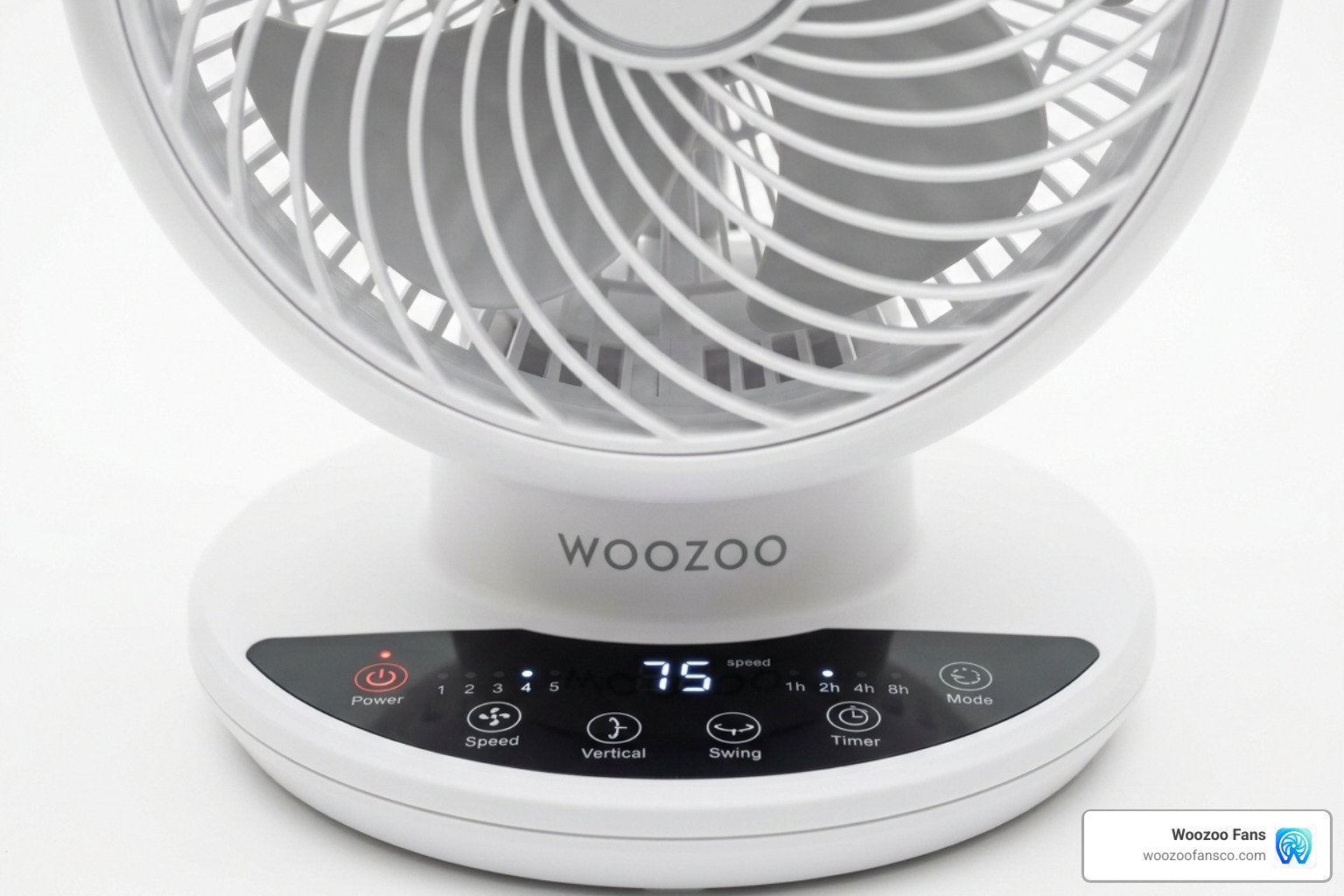
The Woozoo remote has 7 buttons. Each button controls one function on the fan.
| Button | Function | What It Does |
|---|---|---|
| Power | On / Off | Turns the fan on or off. Press once to start the fan. Press again to stop it. |
| Speed | Fan speed | Cycles through 5 speeds on AC models or 8 speeds on DC models. Each press increases speed by one level. |
| Oscillation | Swing control | Toggles horizontal oscillation on or off. The fan swings 90° horizontally. Some models also control a 75° vertical tilt. |
| Timer | Auto shut-off | Sets a countdown timer. Options are 1 hour, 2 hours, 4 hours, or 8 hours. The fan turns off automatically when the timer ends. |
| Mode | Wind pattern | Switches between Normal, Natural Wind, and Sleep Wind modes. Natural Wind varies speed to mimic an outdoor breeze. Sleep Wind reduces speed gradually through the night. |
| LED | Display light | Dims or turns off the control panel LED lights. Press once to dim the display. Press again to turn off all lights. |
| Sync | Pairing | Located on the fan base, not on the remote. Hold for 5 seconds to enter pairing mode. The fan beeps when pairing mode activates. |
How to Pair a Woozoo Fan Remote
Pair a Woozoo fan remote in 4 steps. Most Woozoo fans arrive pre-paired from the factory. Follow these steps after buying a replacement remote or if the connection drops.
- Plug in the fan and turn it off using the button on the fan base.
- Hold the Sync button on the fan base for 5 seconds. Release the button when the fan beeps.
- Press the Power button on the remote within 60 seconds of the beep. Hold the remote within 12 inches of the fan base.
- Wait for a second beep from the fan. The second beep confirms the remote paired successfully.
Pair one remote to multiple fans by repeating these steps on each fan. Every fan must be the same model. After pairing, one remote operates all paired fans at the same time.
Woozoo Fan Remote Battery: Type, Replacement, and Life
The Woozoo fan remote uses one CR2025 or CR2032 3V lithium coin battery. Replace the battery once per year to maintain the full 60-foot range.
How to Replace the Woozoo Fan Remote Battery
- Slide the battery tray out from the bottom edge of the remote.
- Remove the old battery from the tray. Note which side faces upward.
- Insert the new CR2025 or CR2032 battery with the positive side facing up.
- Slide the tray back into the remote until it clicks into place.
Handle the battery by its edges during installation. Finger oils on the flat surfaces reduce the connection quality. Buy replacement batteries at Amazon, Walmart, Target, or any drugstore. A 2-pack costs $3 to $6.
Woozoo Fan Remote Replacement: Part Numbers and Where to Buy
Buy a replacement Woozoo fan remote from Amazon or Walmart. Replacement remotes cost $10 to $20.
Find the remote part number printed on the back of the original remote or listed in the fan manual. Two reliable sources for replacement remotes:
- Amazon Woozoo remote replacements — third-party options with customer reviews and fast shipping
- Walmart Woozoo fan selection — replacement remotes and full fan units available for in-store pickup
After buying a replacement remote, follow the pairing steps in the section above to sync the new remote with your fan.
Woozoo Fan Manual: Download and Key Specifications
Every Woozoo fan includes a printed manual in the box. Search for your model number on Amazon or Walmart to find digital manual downloads and product documentation.
Key specifications listed in the Woozoo fan manual:
| Specification | 5-Speed AC Model | 8-Speed DC Model |
|---|---|---|
| Motor type | Standard AC | High-efficiency DC |
| Speed settings | 5 | 8 |
| Timer options | 1, 2, 4 hours | 1, 2, 4, 8 hours |
| Maximum noise | 35 dB | 30 dB |
| Power draw | 72 Watts | Varies by speed setting |
| Horizontal oscillation | 90° | 90° |
| Vertical tilt | 75° | 75° |
| Room coverage | Up to 353 sq ft (32.83 m²) | Up to 353 sq ft (32.83 m²) |
| Airflow reach | Up to 82 feet | Up to 82 feet |
| Warranty | 2 years | 2 years |
Woozoo Fan Remote Troubleshooting: 5 Fixes
Fix a Woozoo fan remote that stopped responding by checking these 5 issues in order.
- Replace the battery. Remove the old CR2025 or CR2032 battery. Insert a fresh battery with the positive side facing up. A dim or unlit LED on the remote signals a dead battery.
- Remove signal obstacles. Move objects between the remote and the fan base. Glass tables, plants, and furniture block the infrared signal between the remote and the fan receiver.
- Power cycle the fan. Unplug the fan from the wall outlet for 30 seconds. Plug it back in and test the remote again.
- Re-pair the remote. Hold the Sync button on the fan base for 5 seconds until the fan beeps. Press the Power button on the remote within 60 seconds to complete pairing.
- Clean the remote contacts. Slide out the battery tray. Wipe the metal battery contacts inside the remote with a dry cotton swab. For sticky buttons, apply a small amount of rubbing alcohol to a cotton swab and clean around the button edges.
Woozoo Fan Models With Remote: Comparison
Woozoo sells 4 fan models with remote control. Each model fits a different room size and use case.
| Model | Size | Speeds | Best For | Price |
|---|---|---|---|---|
| PCF-SC15T-CT | Medium globe | 5 | Bedrooms and living rooms up to 353 sq ft | $49.99 |
| 8-Speed DC Circulator | Medium globe | 8 | Bedrooms and home offices needing quiet operation | $69.99 |
| Small Globe | Compact | 5 | Desks, nightstands, and small rooms | $39.99 |
| HE15R Desk Fan | Compact | 3 | Workstations and office cubicles | $49.99 |
The PCF-SC15T-CT is the most popular Woozoo model. It balances price, room coverage, and features. Choose the 8-speed DC model for bedroom use. The DC motor runs quieter at 30 dB maximum and the 8-hour timer covers a full night of sleep.
Woozoo Fan Remote Features and Performance
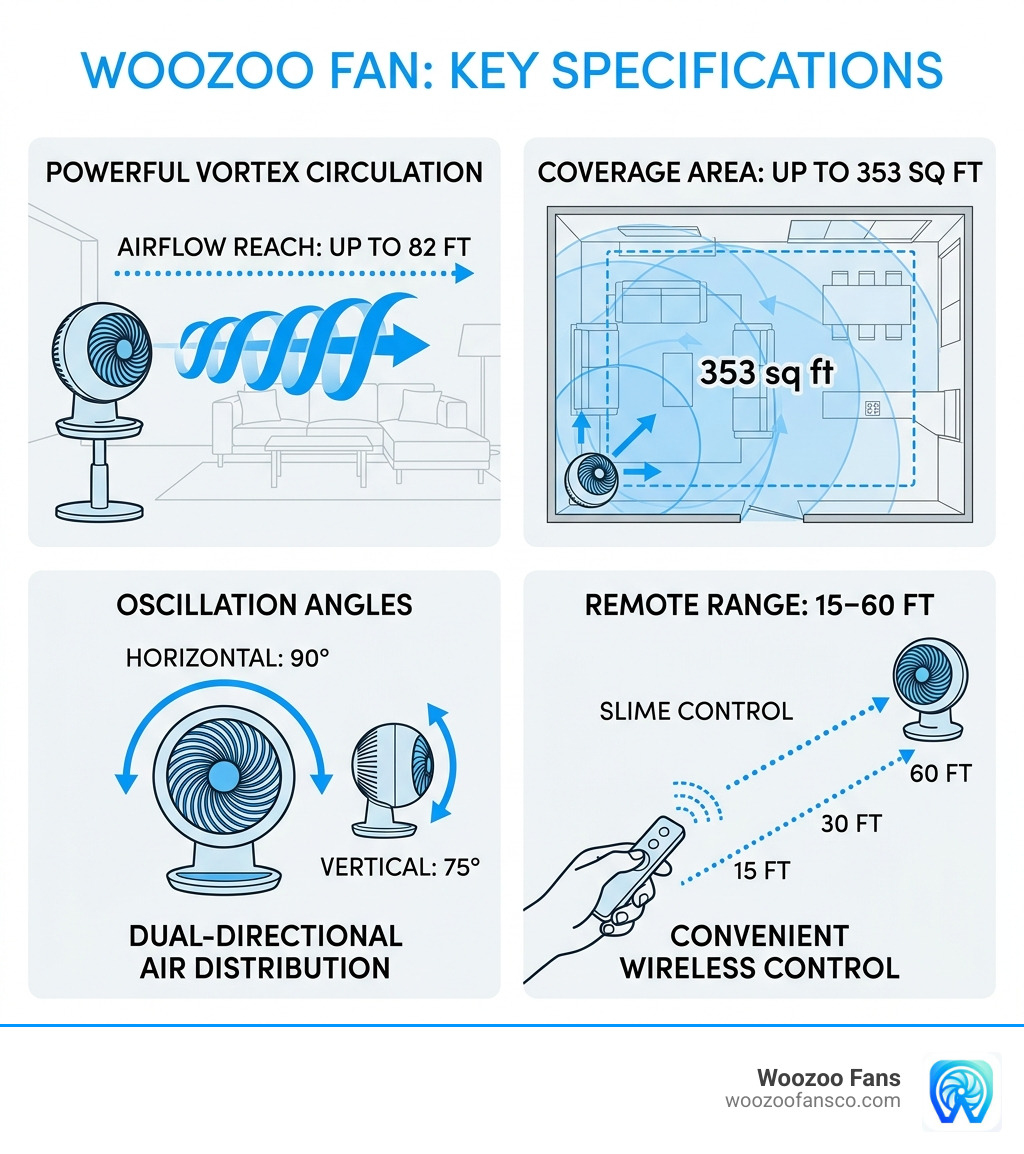
The Woozoo fan remote controls a fan that moves air up to 82 feet across rooms up to 353 square feet. The Vortex Circulation design uses three-dimensional blades to push a spiral air jet farther than standard fans of the same size.
Oscillation and Airflow Distance
Woozoo fans oscillate 90° horizontally and tilt 75° vertically. Select DC motor models add 360° oscillation for full-room air circulation. Tilt the fan upward to bounce air off the ceiling. This technique eliminates dead air spots in any room.
Timer and Wind Modes
Set the timer for 1, 2, 4, or 8 hours using the Timer button on the remote. The fan turns off automatically when the timer ends. Natural Wind mode varies fan speed to mimic an outdoor breeze. Sleep Wind mode reduces speed gradually throughout the night. Turn off the LED display using the LED button to keep the room completely dark while sleeping.
Noise Levels
The 5-speed AC model produces 35 dB at maximum speed. This noise level is quieter than a library. The 8-speed DC model produces 30 dB at maximum speed. At speed settings 1 through 3, both models run nearly silent.
Where to Buy Woozoo Fans With Remote
Buy Woozoo fans with remote control at 4 major retailers. Prices range from $39.99 for the small globe model to $99.99 for the large DC motor version.
- Costco — Carries the 5-speed globe fan in multipacks at member pricing. View the Woozoo 5-Speed Globe Fan at Costco.
- Amazon — All Woozoo models available with thousands of customer reviews and fast shipping.
- Walmart — In-store pickup and home delivery for most Woozoo fan models. Browse Woozoo fans at Walmart.
- Target — Select Woozoo models with a 90-day return policy.
Woozoo Fan Cleaning and Maintenance
Clean a Woozoo fan every 2 to 3 months. Dust buildup on the blades reduces airflow and strains the motor over time.
- Unplug the fan. Disconnect the fan from the wall outlet before cleaning.
- Wipe the exterior. Use a dry microfiber cloth on the globe housing, base, and front grille.
- Vacuum the blades. Use a vacuum brush attachment through the back grille to pull dust off the blades.
- Remove the front grille. Unscrew the small screw at the bottom edge of the grille. Pull the grille forward gently to detach it.
- Wipe the blades. Clean each blade with a damp cloth. Dry every blade thoroughly with a microfiber cloth.
- Reattach the grille. Clip the grille back into position and tighten the bottom screw. Plug the fan back in only after every part is completely dry.
The fan body uses ABS plastic and polypropylene. Both materials resist yellowing over time and wipe clean without special cleaning products.
Frequently Asked Questions About Woozoo Fan Remotes
Can one remote control multiple Woozoo fans?
One remote can control multiple Woozoo fans when every fan is the same model. Pair the remote to each fan using the Sync button on each fan base. After pairing all fans, the remote operates every paired fan at the same time.
What type of battery does the Woozoo fan remote need?
The Woozoo fan remote needs one CR2025 or CR2032 3V lithium coin battery. Check the battery compartment on your remote to confirm which type fits your specific model. Both battery types are available at Amazon, Walmart, Target, and drugstores.
How do I fix a Woozoo fan remote that stopped working?
Fix a Woozoo fan remote that stopped working by replacing the battery first. Power cycle the fan by unplugging it for 30 seconds. Re-pair the remote by holding the Sync button on the fan base for 5 seconds, then pressing Power on the remote within 60 seconds. Remove any objects between the remote and the fan base that may block the infrared signal.
Where can I buy a replacement Woozoo fan remote?
Buy a replacement Woozoo fan remote from Amazon or Walmart. Check the part number printed on the back of your original remote before ordering. Matching the part number guarantees compatibility with your fan model.
How far does the Woozoo fan remote work?
The Woozoo fan remote works from 15 to 60 feet away. The 60-foot maximum range requires a fresh battery and a clear line of sight between the remote and the fan base. Furniture, glass surfaces, and walls reduce the effective range.